
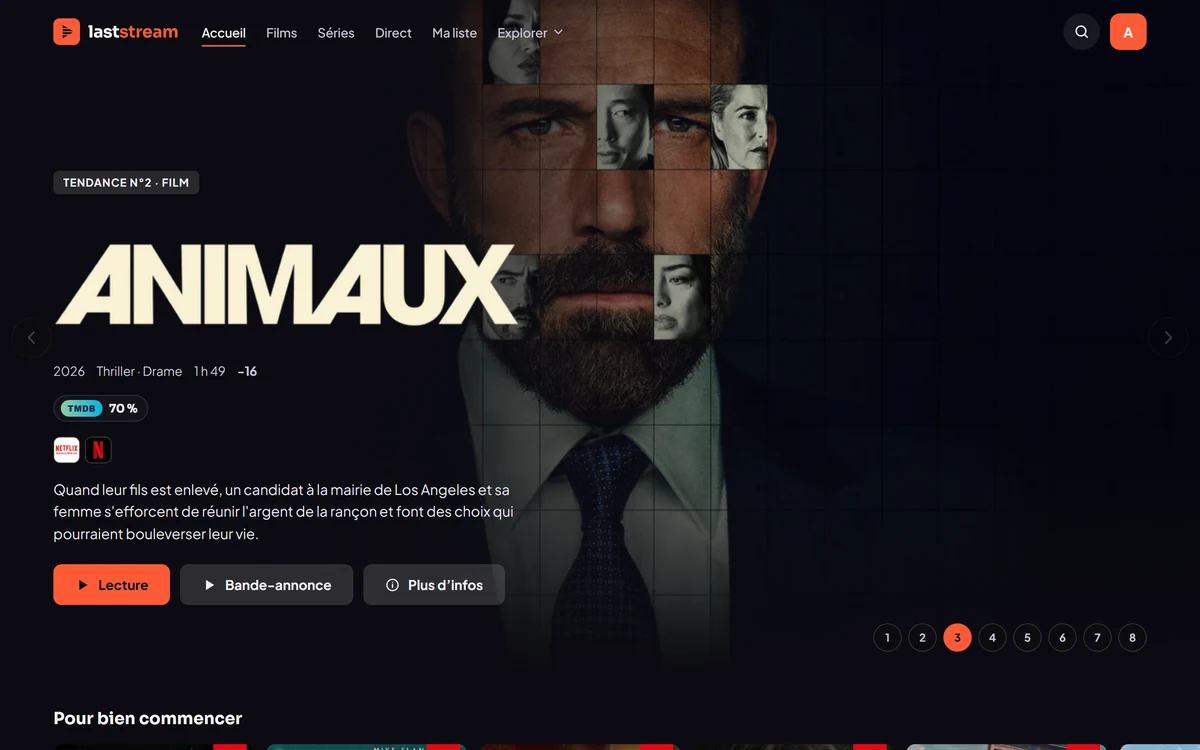
01 · Home
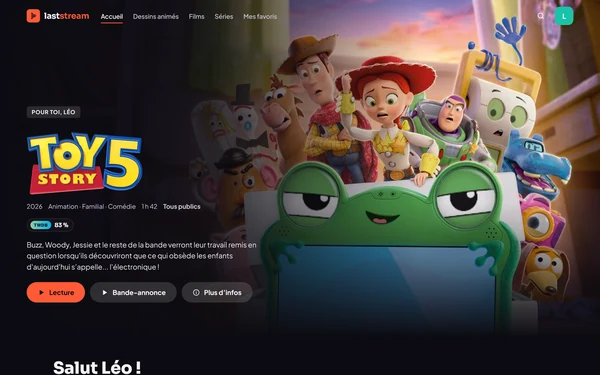
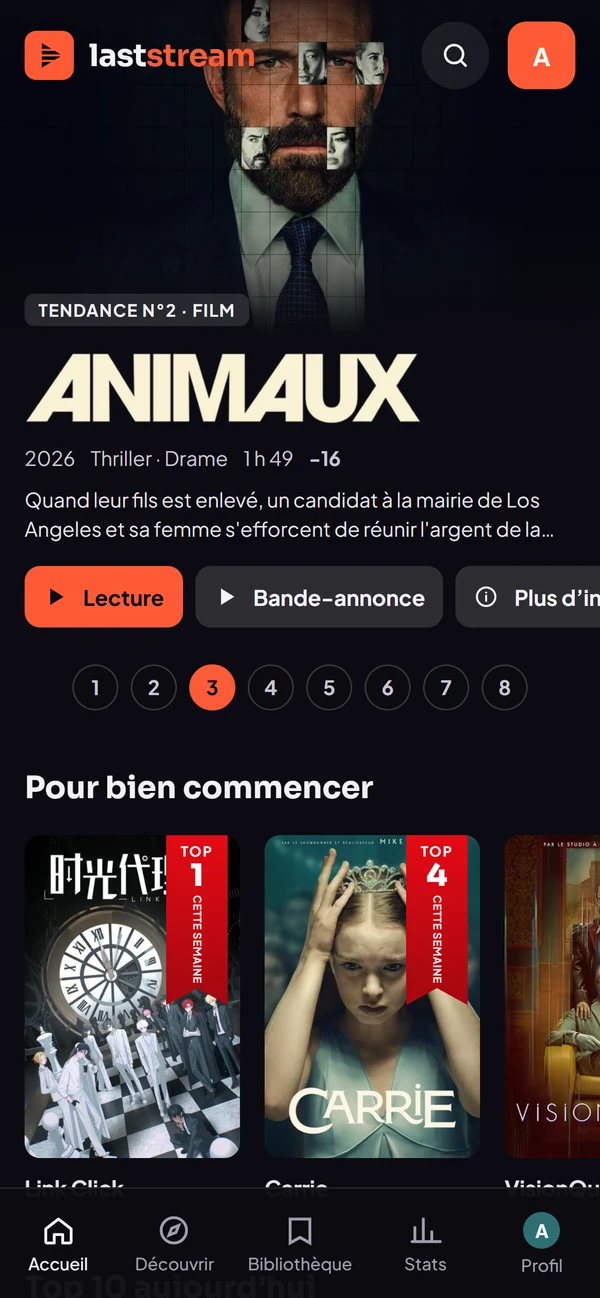
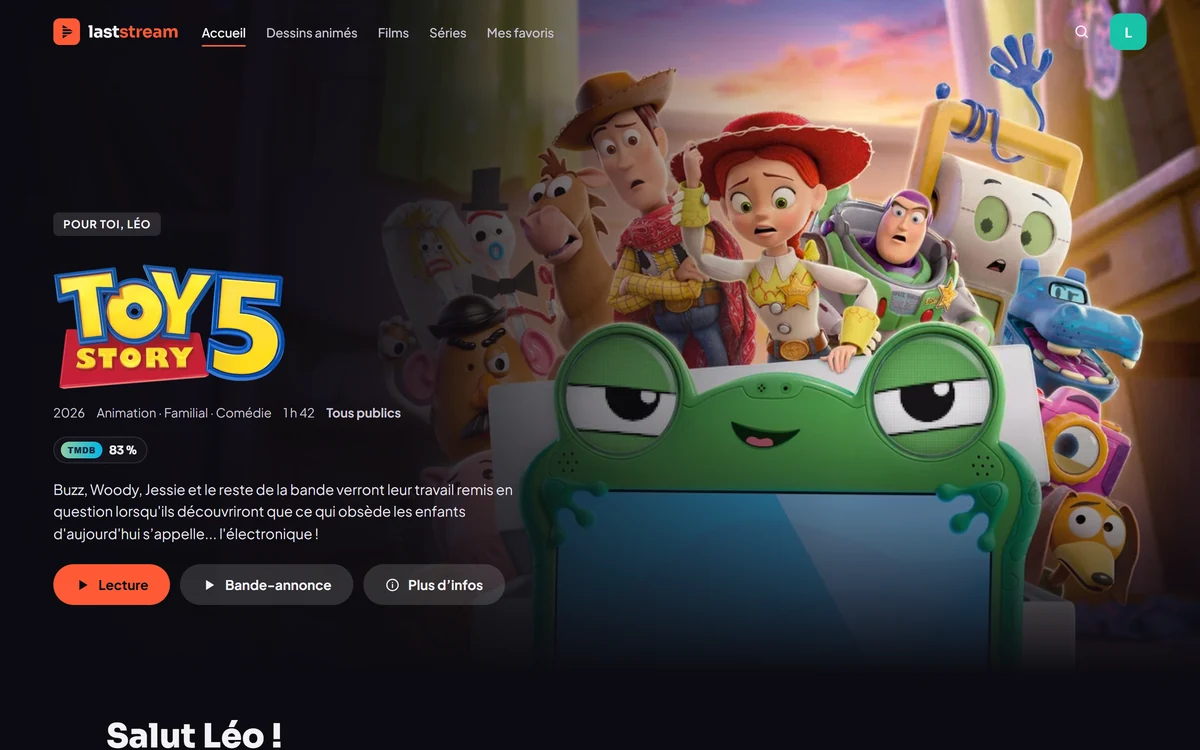
A cinema-style home screen.
A large featured poster, rows to browse, trailers, collections. Open the app, pick something.
Invitation only
A cinema-style home screen, sources sorted for you, and playback that starts on its own. Profiles for the whole family, your friends close at hand, and your progress follows you from one screen to the next.
Windows, Android and browser. Laststream hosts no content: it reads the extensions you configure. Works with Stremio add-ons.
The experience
01 · Home
A large featured poster, rows to browse, trailers, collections. Open the app, pick something.
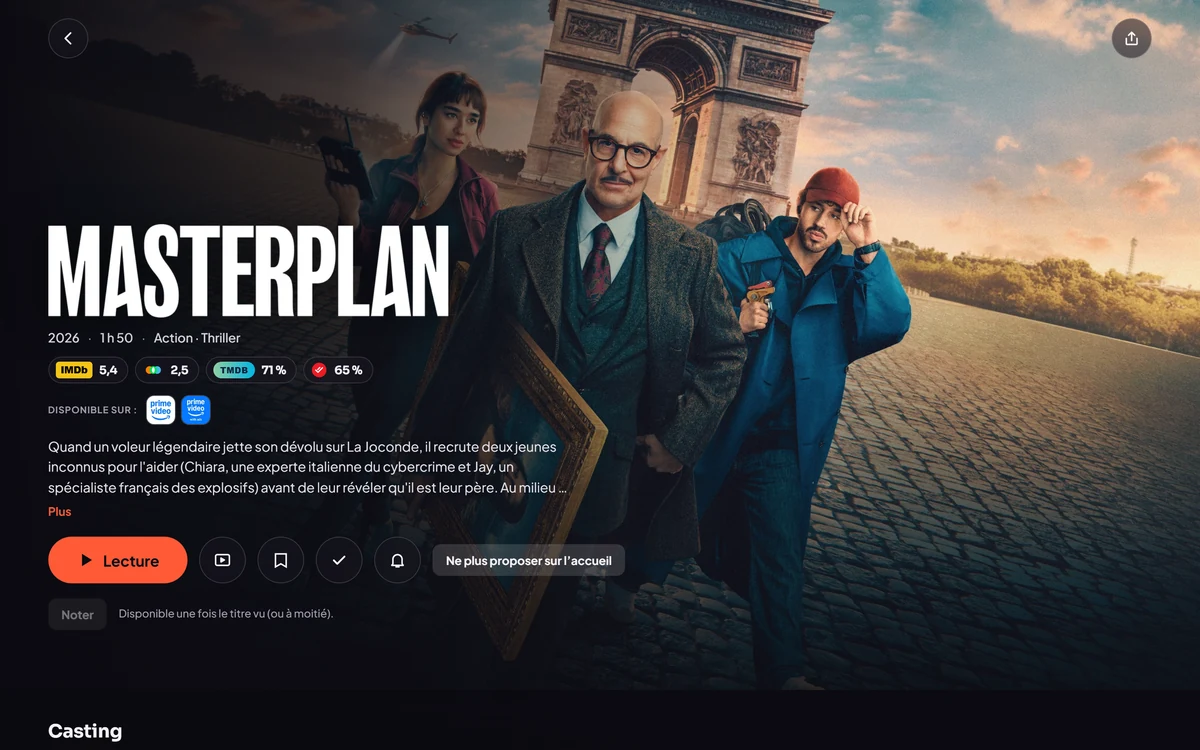
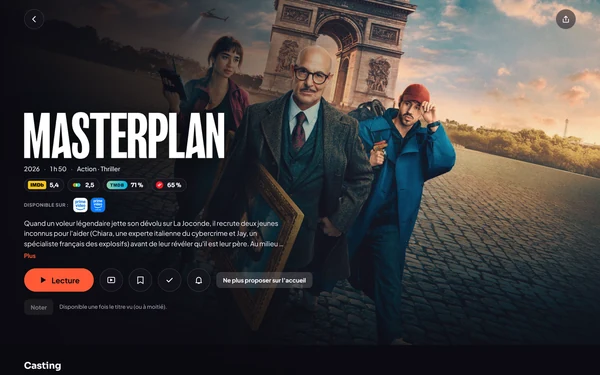
02 · Title page and sources
Synopsis, ratings, availability. Sources are sorted by language, quality then size, and Laststream starts the one that plays best on your connection.
03 · Family
A kids profile protected by a code, content filtered by age and its own recommendations.
04 · Everywhere
Playback progress, lists and settings are synced across Windows, Android and the browser. And for the train, download your titles for offline viewing.
Features
An interface built for the couch as much as for your phone, fast from the moment you open it.
A large featured poster, rows to browse, trailers, collections and a clear page for each title.
Sorted by language, then quality, then size. You can see them all and pick one by hand.
Laststream measures your connection and starts the best source that works, on its own.
Switch between your channels and check the program guide, in one tap.
mpv or libVLC: audio tracks, subtitles, picture-in-picture and a mini player.
Add your friends, chat with them, follow their activity feed, share your library and watch together with synchronized playback. See Together
One profile per person, and a kids profile protected by a code.
A daily list for each profile, based on what you've watched and liked.
Upcoming releases and TV shows, day by day, so you don't miss a thing.
Download your titles before you leave and watch them without a connection, on the train or on vacation.
Time watched, favorite genres, monthly trends. Everything stays on your account.
Several ready-made themes and a customizable accent color.
Progress, lists and settings follow you across PC, phone and browser.
Laststream hosts nothing: you add your extensions, and the app reads them with built-in protections.
Paste an add-on's URL: its catalogs and sources get added.
Getting started
A friend who is already a member sends you their referral link. Open it, pick a username, and your account is created.
Download the app, then add the extensions you choose. Laststream provides no content: it reads whatever you configure.
Pick a title: sources are sorted for you and the best one starts automatically, based on your connection.
Preview
Real screenshots of the app: dark and readable. Click to enlarge.
A clear title page Everything is there before you hit play.
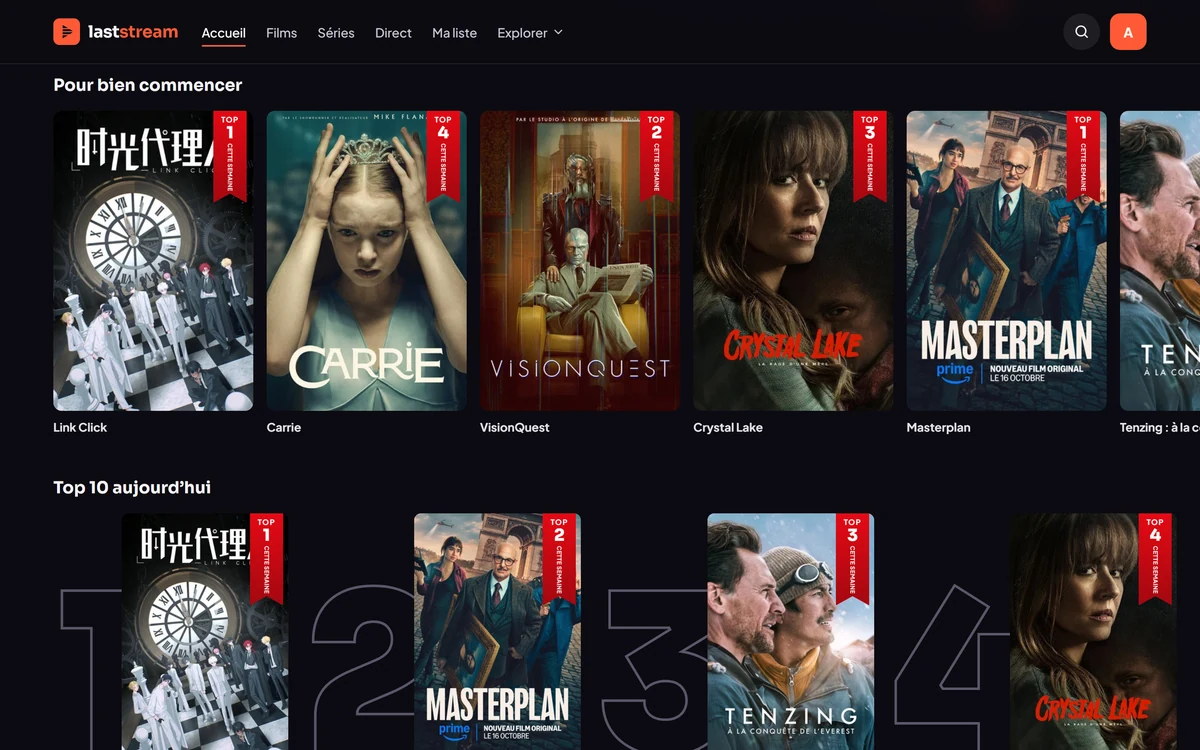
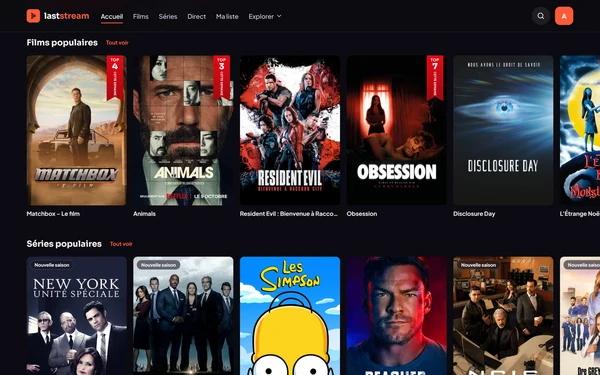
A cinema-style home screen Poster rows and the Top 10 of the day.
Popular series New-season badges and the weekly top 10.
Discover Filters by genre, decade, country or service.
Themes A customizable accent color.
For the family
Everyone has their own profile. The youngest ones have theirs, well protected.
By invitation
You can't sign up freely: each account has 4 referral links to give away.
Together
Friends, messages, shared libraries and watch party: available now. Simple, and under your control.
Play, pause and seek are mirrored for everyone. Rooms for friends or public, with a link to join.
No account? A guest can join without an account, through an invitation link.
Send and accept requests, see who's online and find your friends in one place.
Chat with your friends right in the app and plan your next movie night.
Follow what your friends are watching, and find your next idea.
You choose which titles your friends can see, one by one or all at once.
Download
Invitation only. You need an invitation code to create your account. Laststream hosts no content: it reads the extensions you configure.
Windows, Android, browser, iPhone, Mac and Linux.
Full native player (mpv), mini player and automatic updates.
Download for WindowsIf Windows SmartScreen appears: More info, then Run anyway.
Native libVLC player, mini player and one-tap updates.
Download the APKThe whole app in a tab, with the same sync. Great for trying it out.
Open in browserInstall the web version: it opens like a real app, full screen.
Install the web versionSign-up is by invitation. Ask the person who told you about Laststream for a referral link: each account has 4.
No. Laststream hosts no content: it is a player and catalog that read the extensions you configure yourself. You are responsible for what you add and for respecting copyright laws in your country.
Yes: playback progress, lists and settings are synced with your account.
A native app is planned. In the meantime, the web version installs like an app and works very well.
The sources from your extensions are sorted by language, then by quality, then by size. Laststream automatically starts the best one that suits your current connection speed, and you can always pick another one from the list.
Yes. Laststream reads add-ons in the Stremio format: paste the URL of the add-on's manifest, and its catalogs and sources are added to the app.
It depends on the extensions you configure. Laststream does not provide any such service: it's up to you to choose your sources and, if they require them, the accounts that go with them.
You create a kids profile alongside yours. It only shows content suited to its age, based on the age ratings available, it doesn't open extensions or settings, and you can only leave it with a code.
Yes. Friends, messages, activity feed, shared libraries and watch party are available with an account, but not from a kids profile. Your library stays private by default and each participant watches with their own sources: nothing is shared between accounts.
No. A guest can join a watch party without an account, through the invitation link you send them. They watch with their own sources.
On Windows, updates are automatic. On Android, the app offers you the new version and installs it in one tap. The web version is always up to date.